Studio in your pocket.
Schedule, check-in, class packages and payments for yoga, pilates and dance studios. Built for the owner who also teaches.
See it before you try it.
Real screens from Ulumi, with a sample studio. Calm, clear and quick to use between classes.
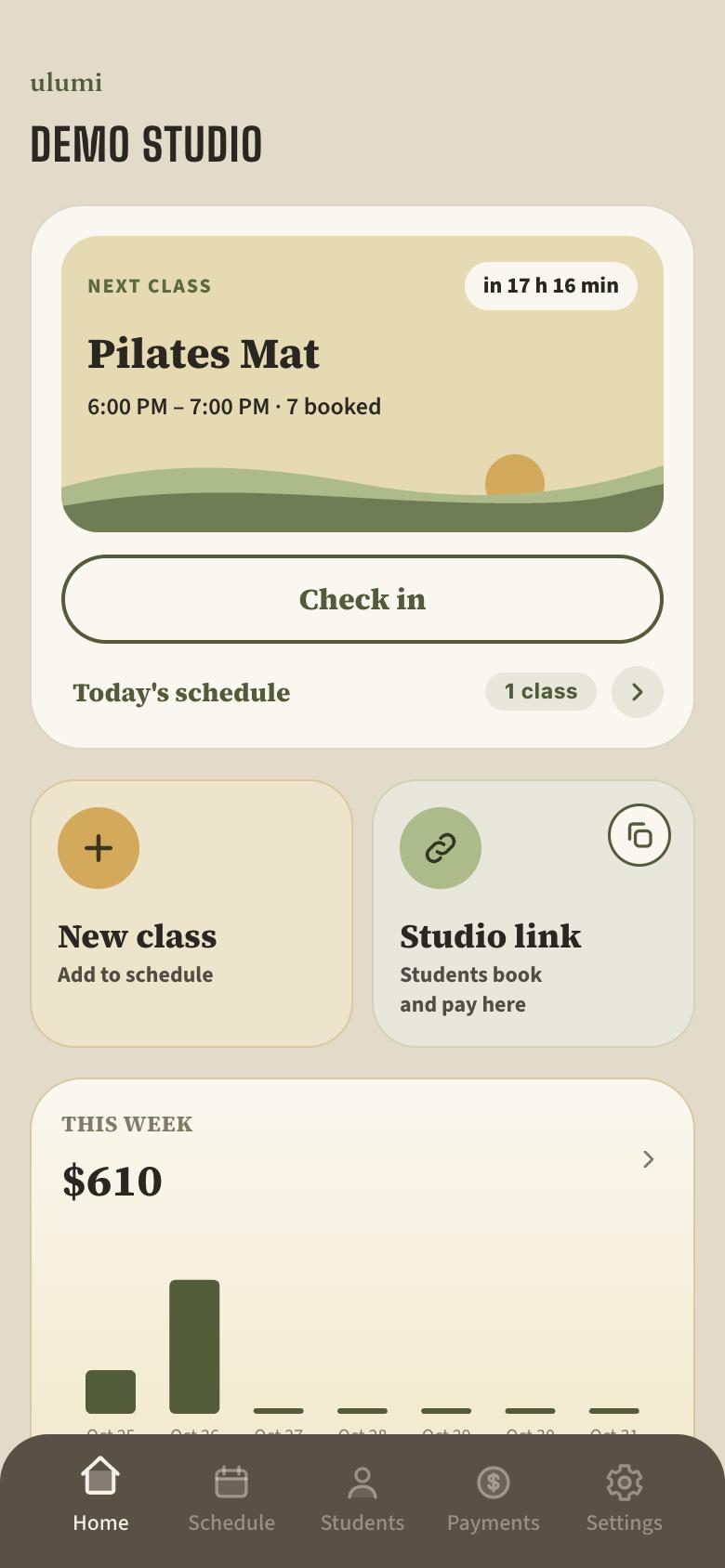
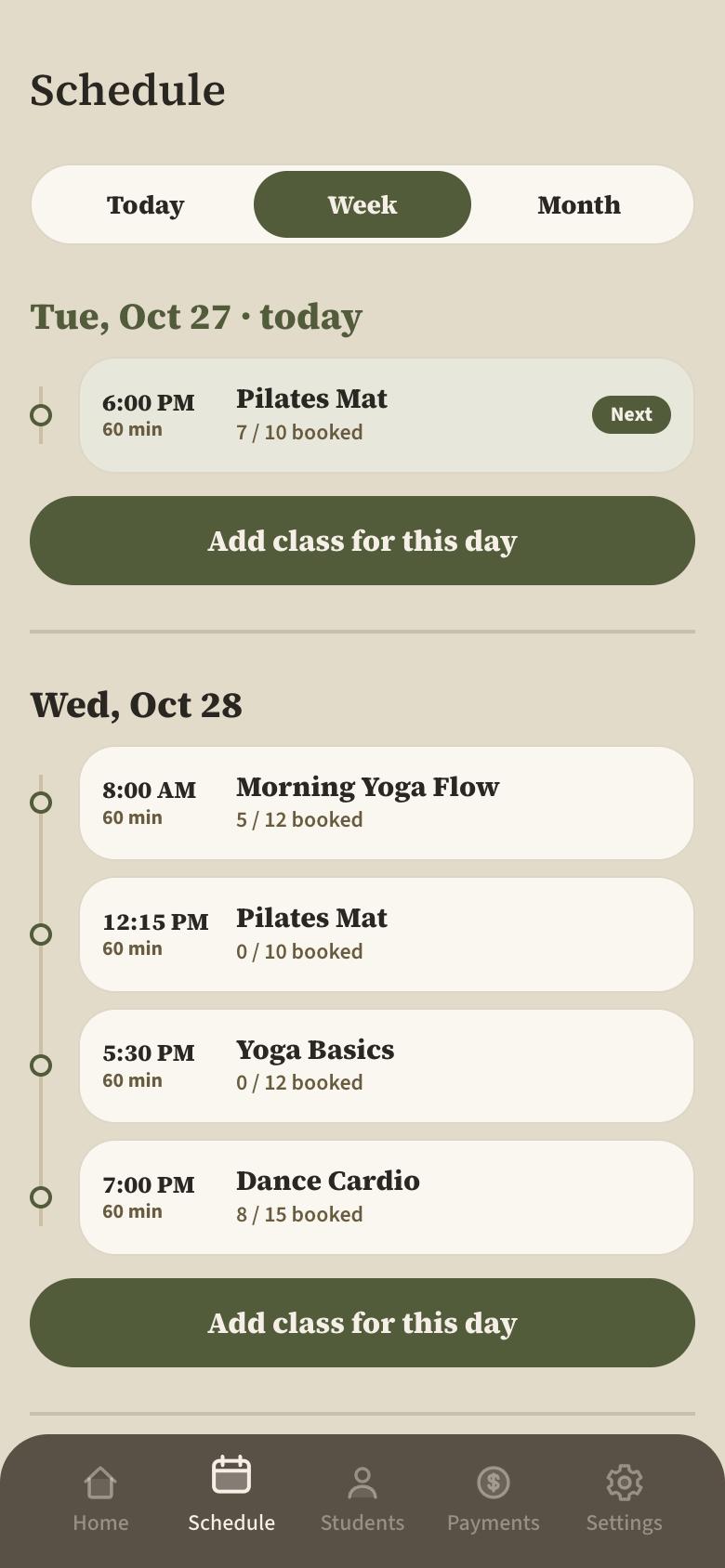
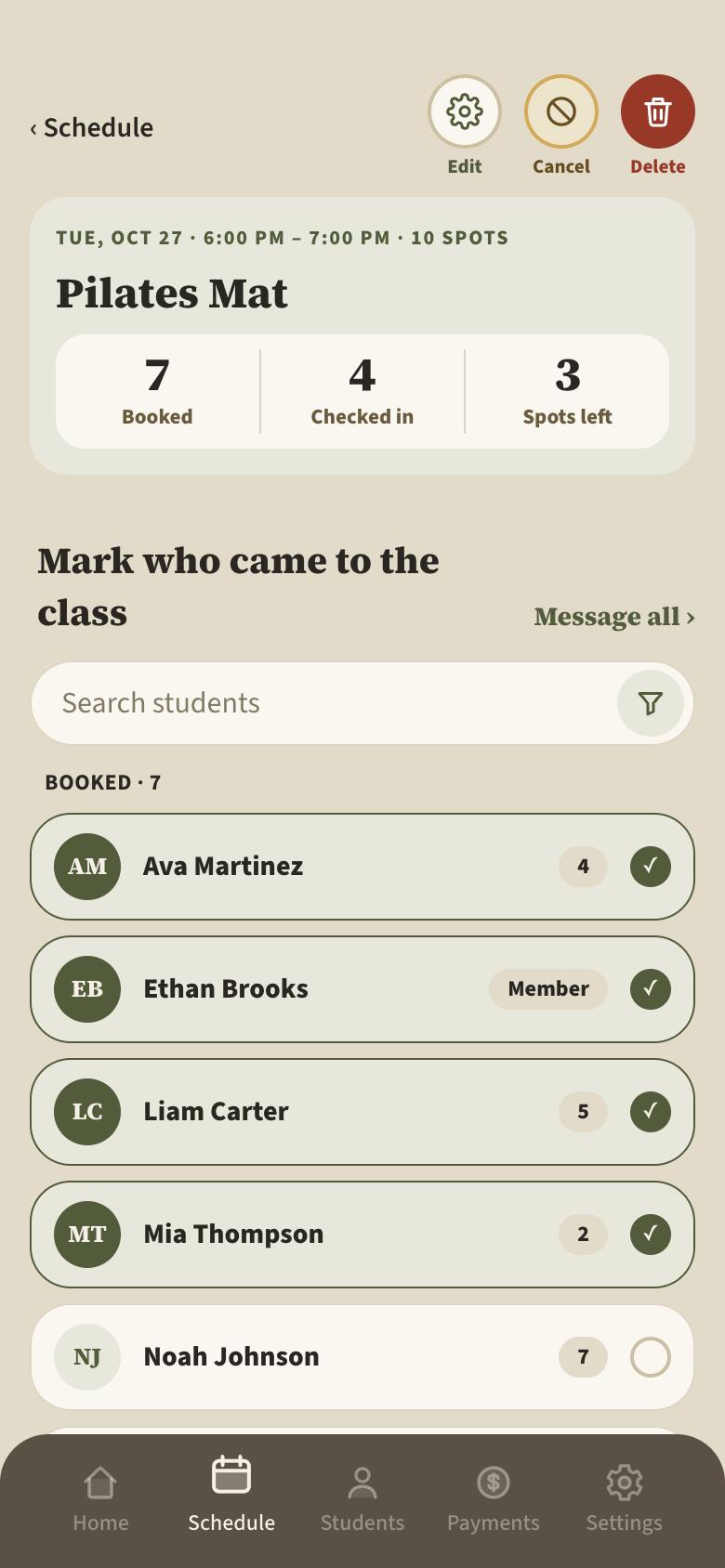
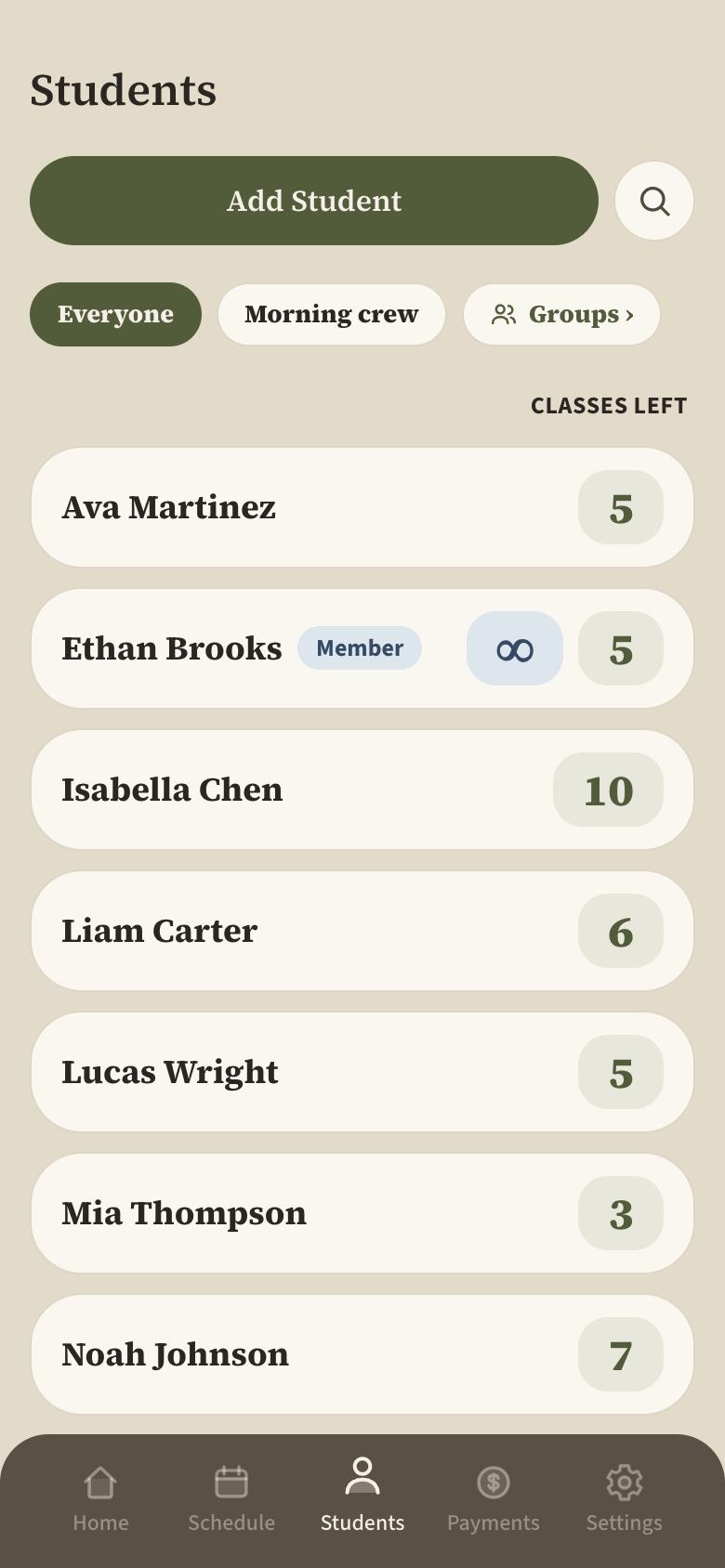
Three things, done in a few taps.
Plan your week’s schedule
Manage class attendance
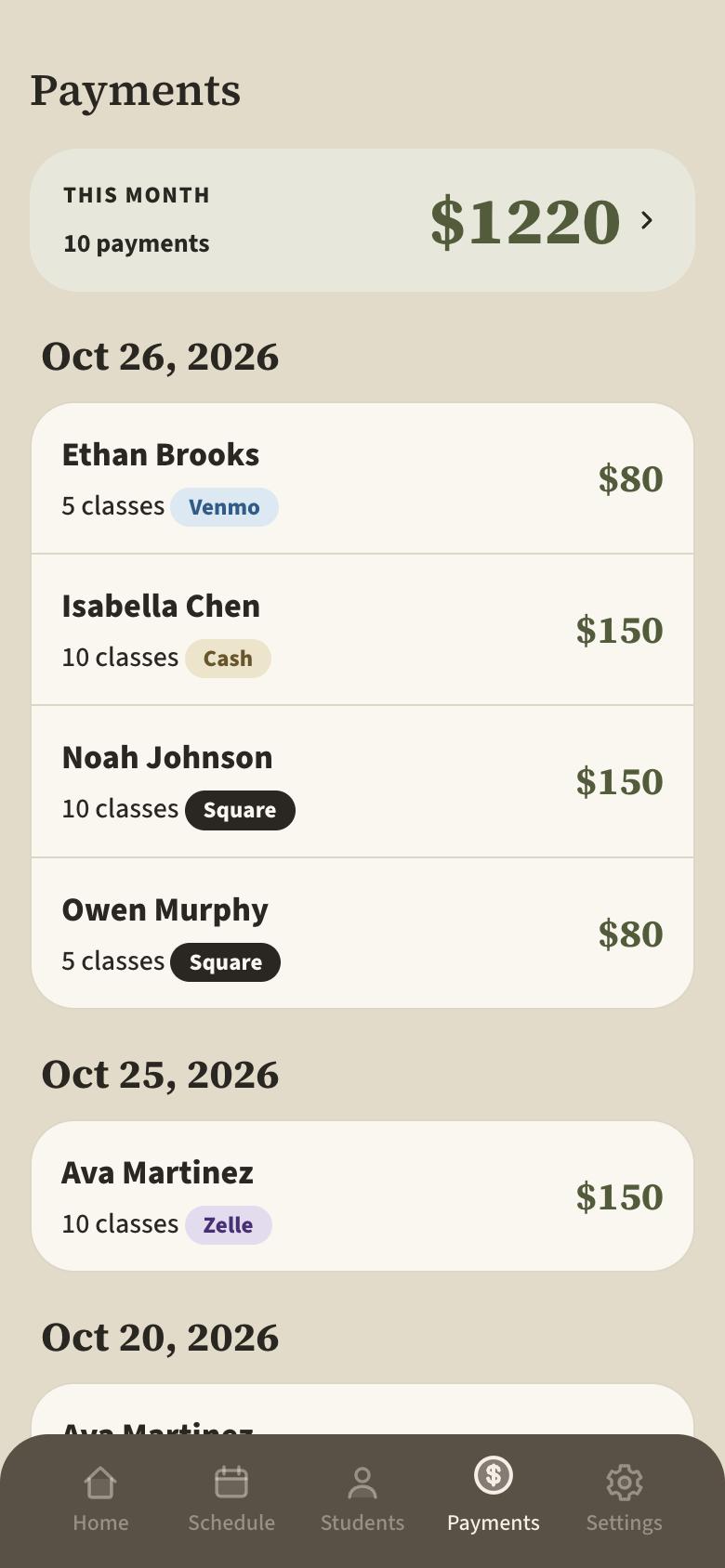
Receive payments
Not one app for everyone. Your studio, your way.
Answer a few questions. What you don’t use stays out of sight.
Made for studios like yours.
Classes, small groups, privates. If people book a spot and pay for a pack, Ulumi fits.

Pilates
Reformer, mat and privates

Yoga
Flow, restorative and workshops

Dance
Classes, groups and privates

Less admin.
More teaching.
The software should feel like the room you teach in: calm, warm, and uncluttered.
Everything a small studio needs.
Tailored to your studio.
Your schedule
Set once, repeats.
Students book classes
From a link. No app.
Get paid
Card, Venmo, Zelle, cash.
Email reminders
Fewer no-shows.
Sell more than single classes
Class packages and memberships.
Your business stats
Revenue, fill rate, new students.
14 days free, then pick how you pay.
- Unlimited classes and students
- Online booking and card payments
- Check-in, credits, email reminders and receipts
- Weekly report and full data export
You subscribe in the Ulumi app with your Apple ID. Apple renews it automatically; cancel any time before the trial ends and you pay nothing.
That is all it takes to understand Ulumi and start running your studio with it.
Be teaching by this afternoon.
Questions, answered.
How does the free trial work?
You try Ulumi free for 14 days. Pick a plan in the app and you pay nothing until the trial is over. If it is not for you, cancel before the 14 days are up and it costs nothing.
Can I turn off what I don’t use?
Yes, and you mostly won’t need to. When you sign up, Ulumi asks a few questions about your studio and turns on only what fits. Anything you don’t use, like memberships or private sessions, stays out of sight. You can change any answer later in Settings.
How does Ulumi keep students in the loop?
By email. Students get a booking confirmation, a reminder the day before and a receipt after every payment. If you cancel or move a class, Ulumi emails the people who booked. You can also write to a whole class in one tap.
Do my students need to download anything?
No. Students use a simple web page you share by link or text. Only you and your instructors use the app.
How do students pay?
By card through Square, straight into your own Square account. You can also record cash, Venmo, Zelle or Cash App yourself.
Can I cancel any time?
Yes. On your iPhone open Settings, tap your name, then Subscriptions, and choose Ulumi. You keep access until the end of the period you paid for, and you can export all your data.
Talk to a real person.
No chatbot. A real person, ready to help.
Need a feature? Ask for it.
If it helps your studio, it goes on our list.